 The Seventh District
Support for The Seventh District
1. Getting started
What do I need?
An iPhone with iOS 26 or later. Conversations written by Apple Intelligence need an iPhone that supports it, with Apple Intelligence turned on; on other iPhones characters answer from scripted dialogue.
How do I start?
Choose Use my location, Pick a place on the map or Play a sample district. The district is built from street data in about 20 to 60 seconds, then a short walkthrough shows you around and the first case guides you step by step.
Can I play without sharing my location?
Yes. Pick any place on the map or start in one of the sample districts (Islington, Palo Alto or Castle Combe). If you do share it, your location is used once, on your iPhone, to centre the map.
My district says it was partly reimagined.
Where OpenStreetMap has little detail, the game fills gaps with plausible streets and buildings. Busy towns and cities give the most faithful districts.
Building a district failed.
Street data needs an internet connection. Check you are online and try again; if the map servers are busy, wait a minute. Sample districts work offline.
2. Playing
Why can't I end the day?
Each day in the district lasts eight real hours, counted from when the day began, and the End Day button shows how long is left. You can keep playing in the meantime: meet people, inspect places, issue decrees, trade and build.
What are Custodian Hours?
Meetings, inspections, speeches and deals each cost hours. You get four free hours, which refill every eight real hours. Tap the DAY box at the top left to see your hours and when they refill.
Can I lose?
No. There is no score and no game over. Cases that run out close with consequences for the district, and the next case begins.
How do I start again somewhere else?
Open Settings (the … button) and choose Start a new district. Bought hours carry over.
The game runs warm or drains the battery.
Turn off Enhanced graphics in Settings for shadows, glow and focus effects that are lighter on older iPhones.
3. Purchases
How do I buy more hours?
Tap the DAY box, or open Settings and choose Get more Custodian Hours. Packs of 4, 8 and 10 hours are sold through Apple.
My hours didn't arrive.
Bought hours are added as soon as Apple confirms the purchase. Close and reopen the game while online; if they are still missing, email us with the date and time of the purchase.
Can I get a refund?
Apple handles refunds. Visit reportaproblem.apple.com and choose the purchase.
Will my hours move to a new iPhone?
Hours are kept on your iPhone. They move with you when you set up a new iPhone from an iCloud or encrypted backup of the old one. We can't restore them otherwise, because we don't hold your purchases.
4. Conversations, voice and friends
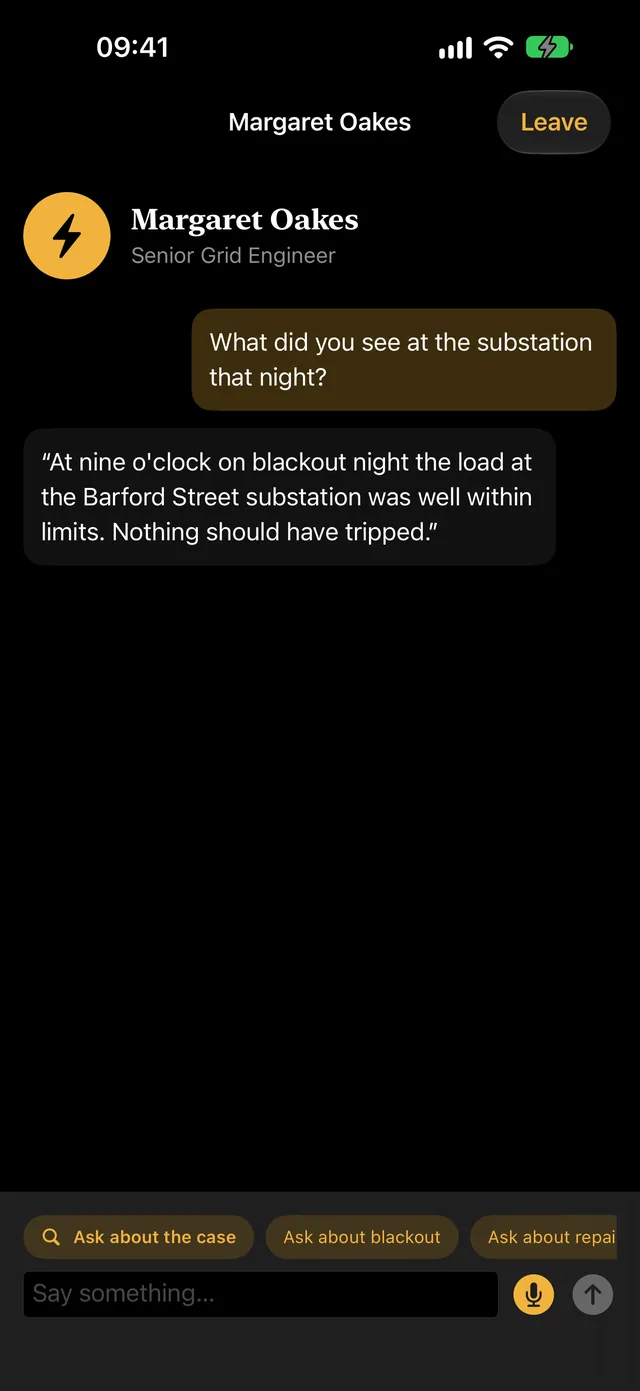
How do I talk to characters?
Type a question, tap a suggested topic, or hold the microphone button and speak. Speech is turned into text on your iPhone.
Characters' answers feel scripted.
Apple Intelligence writes replies when it is available and turned on, and when Use Apple Intelligence for conversations is on in Settings. Otherwise characters use their scripted knowledge.
How do Friends work?
Open Districts and choose the Friends tab. Sign up with Sign in with Apple, tap Create invite link and send it to a friend. When they install the game and open your invite, you get two Custodian Hours. Each of you plays your own district and can send the other a little help: money toward a project, food or fuel in a shortage, and relief crews in a catastrophe. Friends see only the name you choose, never your Apple ID or where you live. Friends is optional; everything else works without an account.
How do I remove a friend, sign out or delete my account?
In the Friends tab, tap the … button beside a friend and choose Remove friend. To sign out or delete your account, open the … menu (or the Friends tab), find Your account and choose Sign out or Delete account. Deleting erases your account and friendships from our servers and ends the game's use of your Apple ID. Your district and bought hours stay on your iPhone. You can also ask us by email.
5. Report a problem
Email info@nie22.com with your iPhone model, iOS version, what happened and, if you can, a screenshot. If a crash keeps happening, turn on Share With App Developers in iOS Settings > Privacy & Security > Analytics & Improvements, so Apple can pass us the crash report.
6. Company details
The Seventh District is made by N.I.E.22 LIMITED, registered in England and Wales, company number 17246955, D-U-N-S number 234870472. Registered office: 17 Bailey Road, Banbury, England, OX16 1HW.
Read the privacy notice and the terms of use.